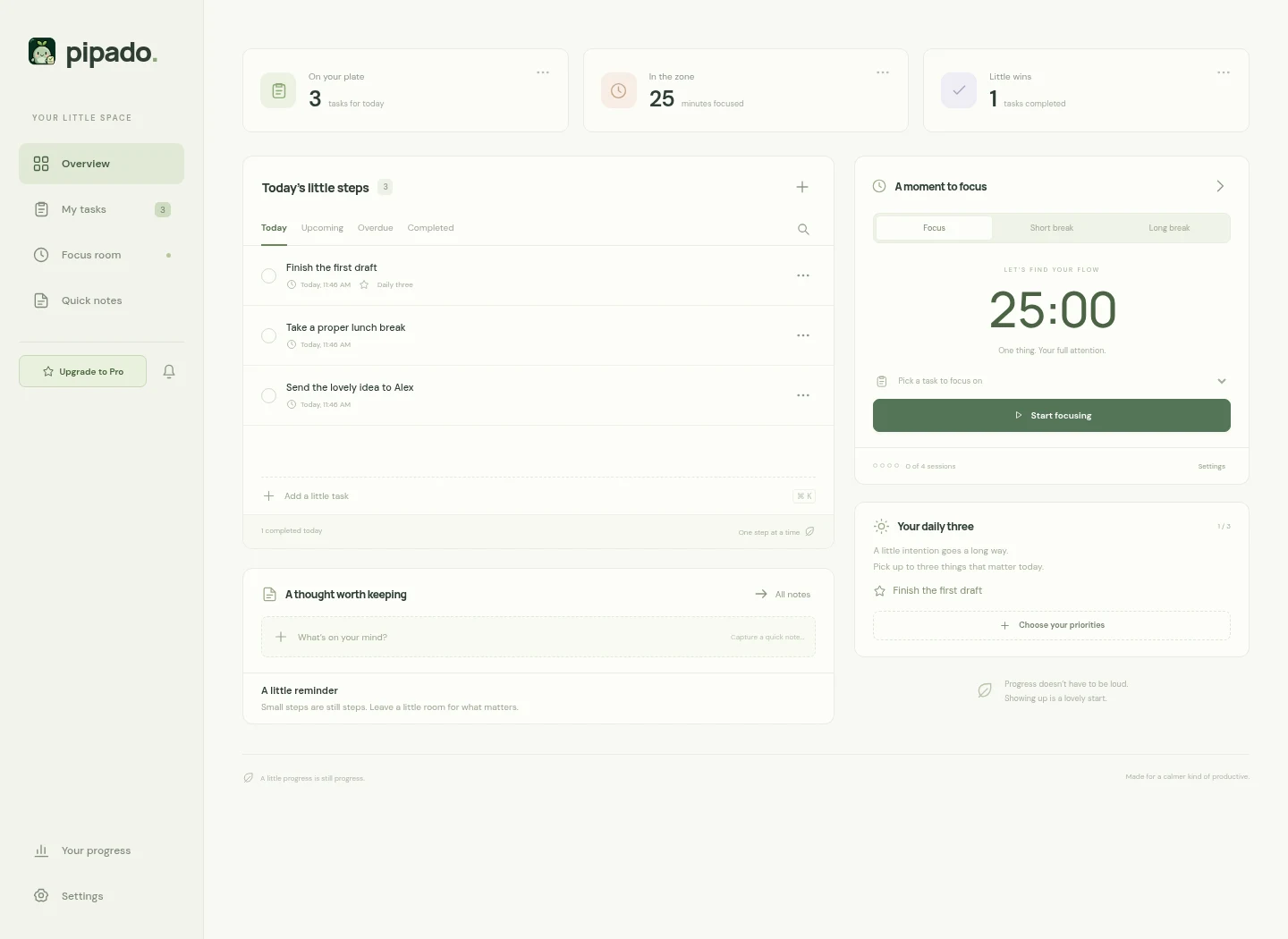
Check off a task, take a one-minute reset, or catch a thought. A small taste of the tools waiting in Pipado.
Interactive website preview. Your extension data stays separate.
A LITTLE SPACE FOR YOUR DAY
TODAY, AT YOUR PACE
Small steps add up.
One small win. Two little possibilities.
ONE MINUTE, JUST FOR YOU
A tiny taste of focus.
01:00Breathe. One thing at a time.
A one-minute preview. Choose your own lengths in the extension.
BEFORE IT WANDERS OFF
Make room for a thought.
Try a little note.0 / 300
Just a preview. This note is cleared when you leave.
01
CLEAR YOUR HEAD
A lighter to-do list.
Create unlimited tasks with notes, priorities, due dates, independent reminders, and saved webpage links. Search and filter tasks, edit or delete them, and undo a completion. Pick up to three tasks for your daily plan. Capture selected text as a task from Chrome’s right-click menu.
02
FIND YOUR RHYTHM
Make a little room for focus.
Choose your focus length, short breaks, and long breaks. Pause, resume, or skip a session. Auto-start the next phase if you like, and look back at your focus history.
03
KEEP THE LITTLE IDEAS
Catch it before it wanders.
Save quick notes from the toolbar, your companion, or the dashboard. Link a task or note to the current webpage so the context comes with it.
04
COME BACK AT THE RIGHT TIME
A nudge at the right time.
Set reminders independently of due dates. Complete, snooze for 5 minutes, or open Pipado from compact icon actions. In the workspace, choose 5, 15, or 60 minutes or a custom snooze. A soft chime is on by default; browser notifications are optional and require Chrome permission. Your browser may require an interaction before audio can play.
05
ONE LITTLE WORKSPACE
A little space, wherever you work.
Use the toolbar for a quick capture, open the Chrome side panel for tasks beside a webpage, or settle into the dashboard. Pro/account access and the reminders bell live in the sidebar. The My tasks page keeps Add task close to your list. Tasks, notes, and timer state stay together across these views.
06
AN OPTIONAL FRESH START
A fresh start with every tab.
Make the Pipado dashboard your new-tab page if it suits you. It is off by default, optional, and available on both Free and Pro.
07
MAKE YOURSELF AT HOME
Your companion, your rhythm.
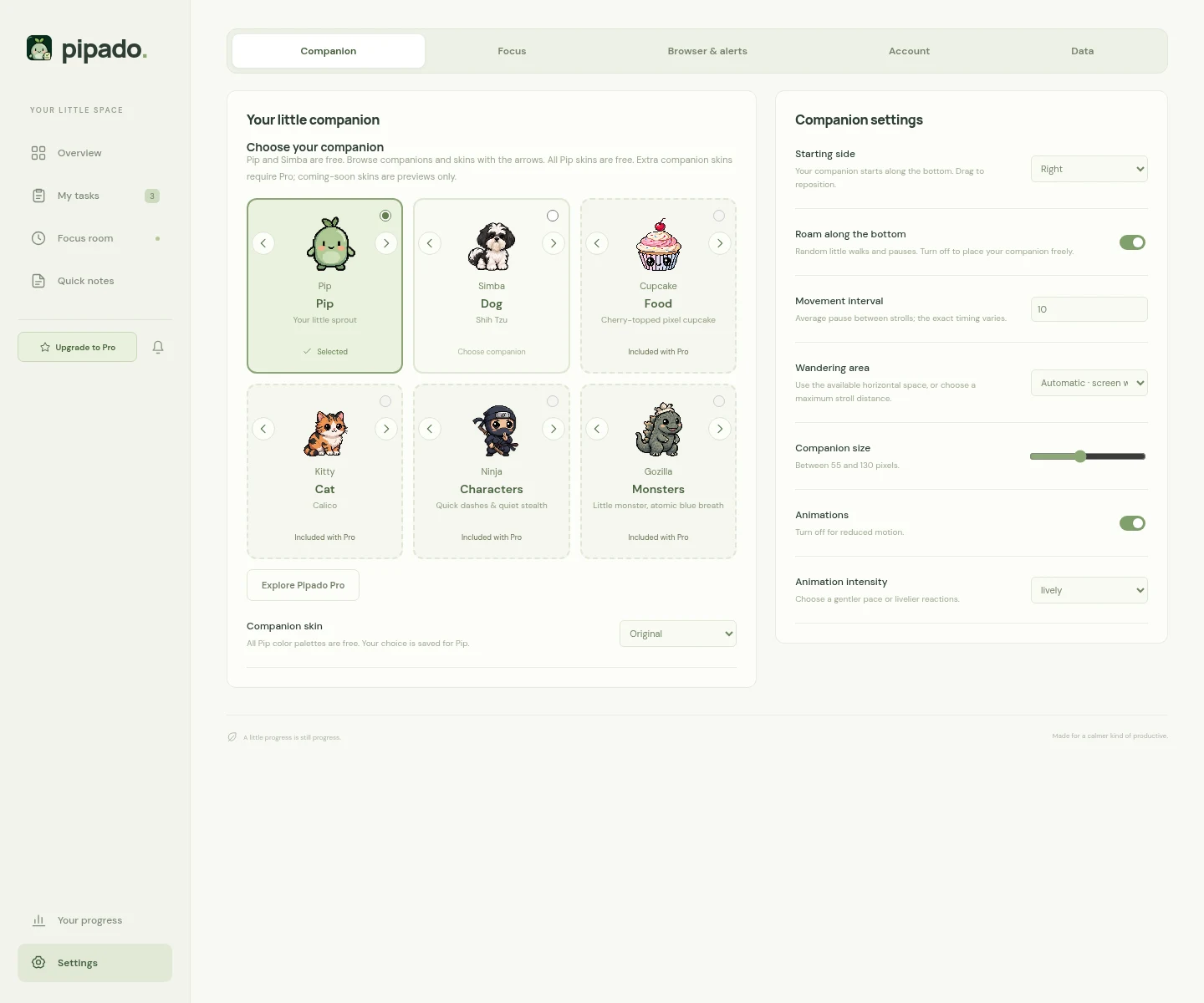
Rename any companion directly on its card, with a separate saved name for every character and skin. Adjust size, motion, intensity, starting side, and roaming together in Companion settings. Choose automatic screen width or a custom stroll distance. Drag and release for a little landing.
Set quiet hours, hide your companion on selected websites, or hide it everywhere while tasks and timers stay available. Reduced motion offers a calmer way to enjoy every character.
09
PERSONAL MEANS PERSONAL
Your day stays yours.
Tasks, notes, and focus history stay in your browser. Export a backup or import one when you need it. Free productivity features do not require an account; Pro payments are handled by ExtensionPay.
Pipado’s productivity features are free. Pro adds Cupcake, Pizza, Kitty, Ninja, Gozilla, Batman, and Predator, plus Ellie the Irish Lurcher and Bruno the French Bulldog. Coming-soon previews remain unavailable until released.
All Pip skins are free: Original, Moonlight, Autumn & Rose.
EVERYTHING IN ITS PLACE
Settings for your kind of day.
Five tabs, with appearance and movement together in Companion settings. Change a name directly where it appears on a companion card.
Companion
Choose your companion, browse skins with the arrows, and edit the name right on each card. Every character and skin keeps its own name. Companion settings combines starting side, roaming, movement interval, wandering distance, size, animations, and animation intensity. Bring back now ends a 15-minute rest early.
Focus
Set focus, short-break, and long-break lengths. Choose whether breaks and focus sessions start automatically. Quick timers run separately from focus sessions.
Browser & alerts
Manage website visibility, Hide everywhere, excluded sites, the optional new-tab dashboard, sound, browser notifications, and quiet hours. Bring back now also appears here while your companion is resting.
Account
Upgrade through ExtensionPay, restore a purchase with Already paid? Log in, or refresh your Pro account. Your last verified Pro unlock works offline.
Data
Export and import your tasks, notes, settings, and focus history. Delete all data starts fresh while keeping your verified Pro account.
The sidebar keeps Pro/account access and the reminders bell together. My tasks opens straight to your list and Add task.
A LITTLE COMPANY. A LITTLE MORE FOCUS.
Your next little thing starts right here.
Make room for what matters. Pip will keep you company.